Isometric tech video — Isometric technical board style
Make a tech video as an isometric board: a white installation seen in one long pan, screens lighting up on the word, FIG. 0X captions and orange stamps.
Starter에 포함, 스타일 81개 전체와 직접 만든 스타일 포함 · 미리보기는 ClipOnIt 엔진으로 렌더링됨
이 스타일의 모습
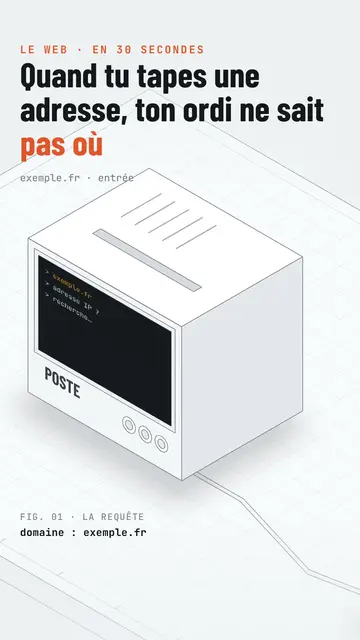
Isometric technical board presents your topic like an exhibition board. An all-white product installation, with fine edges drawn like a plan, stretches out in isometric view: monitors, boxes, a robot arm, a counter, walls of screens. The camera pans along it continuously, never cutting, and frames the device the voice is talking about. On the spoken word, its screens light up: amber hexadecimal text, a website, a command line.
The title is in black condensed capitals, with the key word in orange and an orange mono kicker above. At the bottom, a mono “FIG. 0X” caption names what you see, with a bold data line below (“stars: 405,942”). An orange label drops onto the device on the word, like a stamp (“13 issues”, “0.4%”), and the camera can zoom in on it. The end lights up a giant “SUBSCRIBE” wall of screens with a search bar.
잘 맞는 주제
Avoid: stories with characters or emotions: the installation is made of devices, not people. Also avoid topics outside technology, like cooking or history; the set does not allow it.
- How the Internet and networks workEach device in the installation plays a role: server, router, screen, in a single continuous shot.
- Tech product presentationsThe white installation and the FIG. captions give the look of a design catalogue.
- Software and AIScreens lighting up show what the program does, step by step.
- An open-source project's numbersThe data line and the orange stamp show the figure without a complicated chart.
이 스타일의 영상 아이디어
- What happens when you type a web address
The computer asking for the IP, the 13 root servers from A to M, the TLS padlock and the screen showing the page.
- How a robot sorts parcels
The framed robot arm, the climbing counter and the orange label with the error rate.
- What a server really does
The box lighting up, the wall of screens and the FIG. 03 caption.
- The open-source tool with 400,000 stars
The monitor showing the site, the data line and the zoom on the label.
클릭 1번이면 완성
- 이 스타일 링크 열기
“이 스타일로 영상 만들기” 버튼을 누르면 이 스타일이 이미 선택된 편집기가 열립니다. 계정이 없어도 가입은 1분이면 되고 카드 등록은 필요 없어요.
- 주제를 한 문장으로 적어 주세요
아이디어 하나면 충분해요. 텍스트를 붙여넣거나, Starter에서 마이크에 대고 설명해도 돼요. 그러면 영상이 여러분의 목소리를 바탕으로 만들어져요.
- 검토 후 렌더링
AI가 장면을 쓰고, 스타일의 요소를 고르고, 말에 맞춰 타이밍을 맞춰요. 음성과 자막도 함께 들어가요. 어색한 부분만 고치면 세로형 MP4가 몇 분 안에 도착해요.
조정할 수 있는 항목
For each scene you pick the kicker, the line under the title, the FIG. caption and its data line, the device the camera frames (screen, wall, arm, box, counter or element) and what its screen shows, the orange label and its word, the zoom and the text of the final search bar.
자주 묻는 질문
무료 여부, 결과물, 용도: 간단한 답변.
Does the camera cut between scenes?
No. The camera pans along the installation in one continuous movement and goes from one device to the next as the text goes on.
내 목소리를 쓸 수 있나요?
Yes. Record yourself or import your audio: screens light up and labels drop on your words.
How is it different from Wireframe?
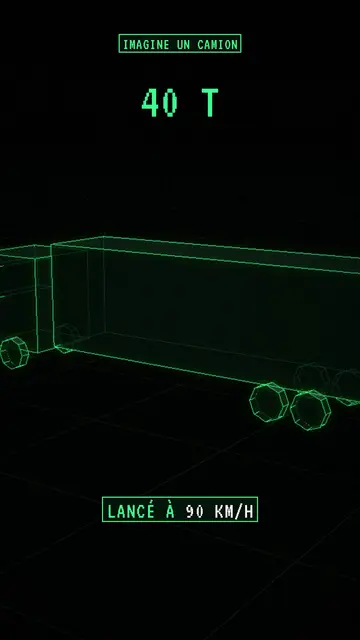
Wireframe shows 3D objects in neon green lines on a black grid floor. Isometric technical board stays white and light, with an installation seen in one pan and catalogue captions.
이 스타일은 무료 요금제에 포함되나요?
아니요, Starter(월 $29)에 포함되어 있습니다. 월 15개의 워터마크 없는 영상, 81개 스타일 전체, 직접 만든 스타일을 쓸 수 있습니다. 무료 플랜은 월 3개의 영상을 워터마크와 함께 제공하며, 그 외 8개 스타일을 쓸 수 있습니다: Pixel News, Press paper, Comedy cartoon, Class sketch, Night tale, Social screen, Retro synthwave, Flat vector.
이 스타일이 마음에 든다면
와이어프레임 애니메이션 영상
와이어프레임 스타일 · 격자 바닥 위의 네온 그린 와이어프레임 3D 오브젝트.
Blueprint diagram video
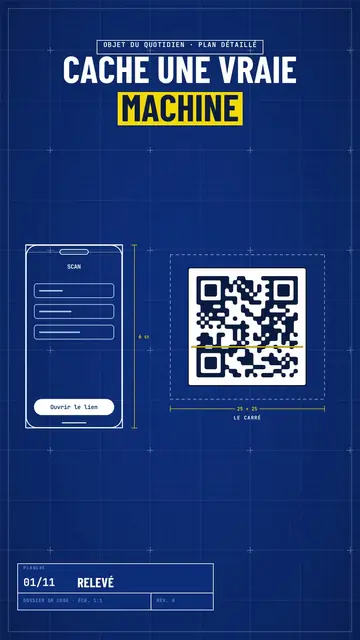
Blue blueprint style · A gridded blue blueprint sheet: line-drawn wireframes, dimensions, a title block and a yellow note.
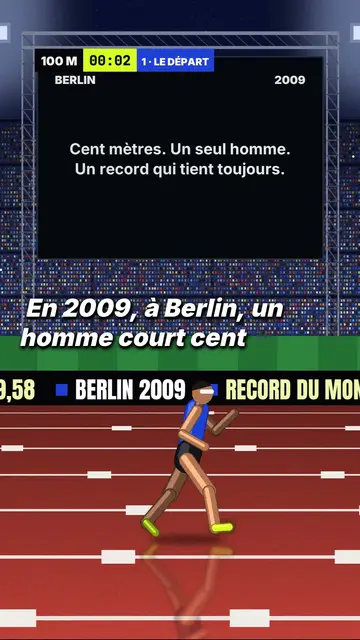
3D sports challenge video
Night stadium style · A 3D athletics stadium at night, a runner in a side tracking shot, a giant screen and an LED banner.