Cut-out photo dialogue video — Cut-out photo style
Make a video with cut-out photos: black-and-white people as stickers on a blue-violet gradient, a navy title that drops on the word and a VS split screen.
Starter에 포함, 스타일 81개 전체와 직접 만든 스타일 포함 · 미리보기는 ClipOnIt 엔진으로 렌더링됨
이 스타일의 모습
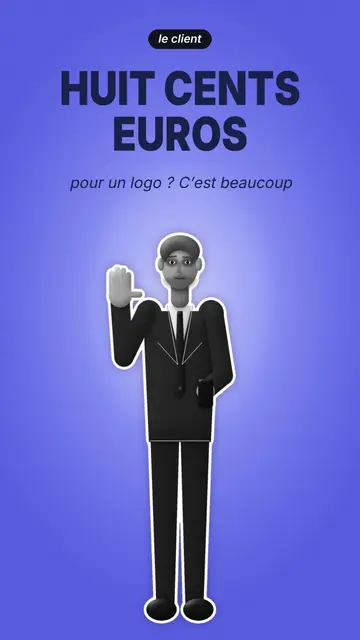
Cut-out photo stages black-and-white people, cut out like stickers with a thick white outline, on a blue-violet gradient crossed by a light halo. A black pill says who is speaking, “the client” or “the freelancer”, and the narration is written in thin letters. The character changes pose: neutral, arms crossed, hand raised to say stop, hand on the head to think, or arm out to show an object.
The big navy condensed title drops word by word, behind or in front of the character, to create depth. The camera goes from a full-body shot to a close-up, then to a VS split screen where two characters face each other with a badge dropping on the word. Cut-out props pop on the spoken word: a contract, a pen, a laptop, a phone, a folder, banknotes. Shot changes happen with blurred fades.
잘 맞는 주제
Avoid: topics that need places, landscapes or diagrams: the background stays a plain gradient. Also avoid topics with more than two people; the style is made for a face-off or a single narrator.
- Client and provider dialoguesThe two characters face to face replay the negotiation every freelancer knows.
- Business and salesThe contract, banknotes and pen popping make money and the deal concrete.
- Objections and misconceptionsThe raised “stop” hand and the dropping title set out the objection before answering it.
- “VS” comparisonsThe split screen with the VS badge pits two views against each other in one image.
이 스타일의 영상 아이디어
- €800 for a logo, too expensive?
The client with a raised hand, the freelancer showing the folder, then the VS and the banknotes popping.
- 3 sentences that scare a client away
The close-up, the title dropping in front and the client with arms crossed.
- Sign a quote without getting fooled
The contract popping, the pen and the thoughtful pose before signing.
- Employee vs freelancer
The VS split screen, the laptop on one side, the banknotes on the other.
클릭 1번이면 완성
- 이 스타일 링크 열기
“이 스타일로 영상 만들기” 버튼을 누르면 이 스타일이 이미 선택된 편집기가 열립니다. 계정이 없어도 가입은 1분이면 되고 카드 등록은 필요 없어요.
- 주제를 한 문장으로 적어 주세요
아이디어 하나면 충분해요. 텍스트를 붙여넣거나, Starter에서 마이크에 대고 설명해도 돼요. 그러면 영상이 여러분의 목소리를 바탕으로 만들어져요.
- 검토 후 렌더링
AI가 장면을 쓰고, 스타일의 요소를 고르고, 말에 맞춰 타이밍을 맞춰요. 음성과 자막도 함께 들어가요. 어색한 부분만 고치면 세로형 MP4가 몇 분 안에 도착해요.
조정할 수 있는 항목
For each scene you pick who speaks among your characters, the shot (full body, close-up, VS or end), the pose, the prop popping on the word (contract, pen, laptop, phone, folder or banknotes), the two characters of the VS and the badge word, and whether the title sits in front of or behind the character.
자주 묻는 질문
무료 여부, 결과물, 용도: 간단한 답변.
Are the people real photos?
No, they are characters drawn by the engine with a cut-out black-and-white photo look. No real person is shown.
내 목소리를 쓸 수 있나요?
Yes. Record yourself or import your audio: the title drops and the props pop on your words.
How is it different from Neon silhouettes?
Neon silhouettes shows black silhouettes with glowing eyes on a neon checkerboard. Cut-out photo uses black-and-white people as stickers, in a face-off.
이 스타일은 무료 요금제에 포함되나요?
아니요, Starter(월 $29)에 포함되어 있습니다. 월 15개의 워터마크 없는 영상, 81개 스타일 전체, 직접 만든 스타일을 쓸 수 있습니다. 무료 플랜은 월 3개의 영상을 워터마크와 함께 제공하며, 그 외 8개 스타일을 쓸 수 있습니다: Pixel News, Press paper, Comedy cartoon, Class sketch, Night tale, Social screen, Retro synthwave, Flat vector.
이 스타일이 마음에 든다면
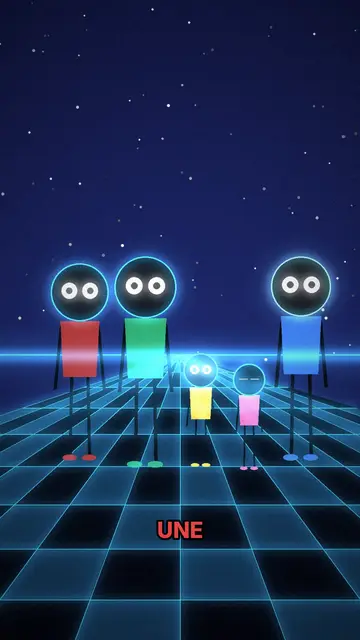
네온 실루엣 애니메이션
네온 실루엣 스타일 · 네온 체커보드 위에서 눈이 빛나는 실루엣.
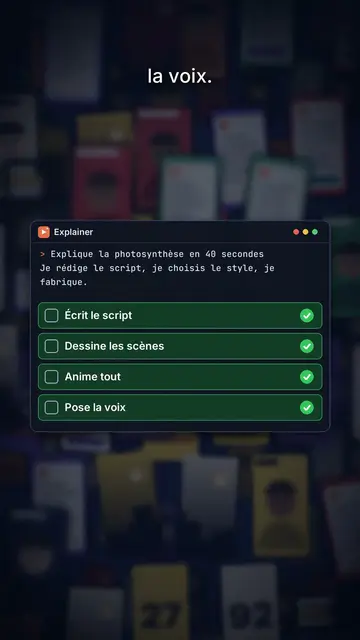
Content creator video
Thumbnail wall style · A midnight blue wall of video thumbnails in depth, a zoom through the wall, gold numbers.
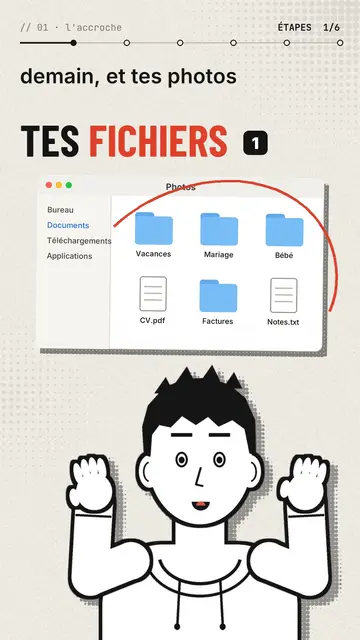
Comic avatar explainer video
Editorial avatar style · A bold-line comic narrator changes pose with each sentence, stickers pop on the word.