Comic avatar explainer video — Editorial avatar style
Make a video with a bold-line comic narrator who changes pose each sentence, stickers that pop on the word and paper that switches colour by chapter.
Starter에 포함, 스타일 81개 전체와 직접 만든 스타일 포함 · 미리보기는 ClipOnIt 엔진으로 렌더링됨
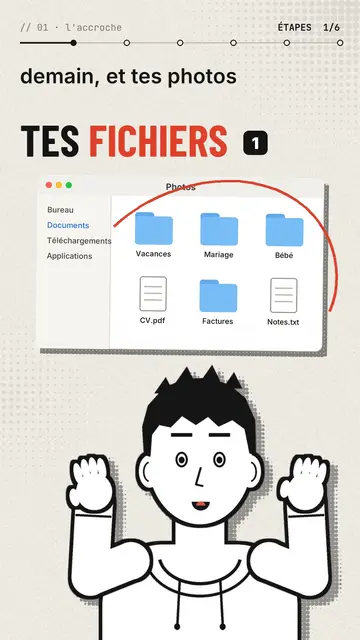
이 스타일의 모습
Editorial avatar puts a comic-drawn narrator at the bottom of the screen, in bold black line, who talks to you like a presenter. With each sentence it changes pose: it points, raises its hands, facepalms, pulls out a magnifier, holds its chin or gives a thumbs up. Its face follows the tone, surprised, sly or worried. Above it, stickers pop on the word: a Finder window, a terminal, a certificate with a medal, a sealed envelope, a before/after.
The background is a lightly halftoned cream paper that switches to red, black or navy when a new chapter starts. Titles are in condensed grotesque, one word in red, with a numbered badge, and a mono breadcrumb at the top shows where you are (“// 03 · the prompt”). A red circle can ring a detail of a sticker, and the end types “Comment WORD” into a comment field before the subscribe button.
잘 맞는 주제
Avoid: topics set in a specific place or that need maps and landscapes: the set stays plain paper. Also avoid stories with several characters; there is only one narrator.
- Tool and AI tutorialsThe narrator points at the window or the terminal while explaining, like a teacher in front of the screen.
- Faceless channelsThe avatar gives the channel a face without you having to film yourself.
- Practical tipsOne chapter per tip, one paper colour per chapter: the structure shows.
- Common mistakesThe facepalm and the red circle on the sticker say “don't do this” better than a sentence.
이 스타일의 영상 아이디어
- The 3-2-1 backup rule
The Photos window popping up, the three copies as stickers and the narrator pointing at the external drive.
- Write a good prompt in 4 steps
One chapter per step, the terminal as a sticker and a thumbs up on the good example.
- Spot a scam email
The sealed envelope, the red circle on the address and the facepalm on the trap link.
- What your certificate really proves
The medal certificate, the magnifier and the paper turning black for the warning.
클릭 1번이면 완성
- 이 스타일 링크 열기
“이 스타일로 영상 만들기” 버튼을 누르면 이 스타일이 이미 선택된 편집기가 열립니다. 계정이 없어도 가입은 1분이면 되고 카드 등록은 필요 없어요.
- 주제를 한 문장으로 적어 주세요
아이디어 하나면 충분해요. 텍스트를 붙여넣거나, Starter에서 마이크에 대고 설명해도 돼요. 그러면 영상이 여러분의 목소리를 바탕으로 만들어져요.
- 검토 후 렌더링
AI가 장면을 쓰고, 스타일의 요소를 고르고, 말에 맞춰 타이밍을 맞춰요. 음성과 자막도 함께 들어가요. 어색한 부분만 고치면 세로형 MP4가 몇 분 안에 도착해요.
조정할 수 있는 항목
For each scene you pick the chapter name, the paper colour, the title and its style (grotesque or serif), up to three stickers with the word where they pop and the word where a red circle rings them, the narrator's pose and expression, confetti and the word to comment at the end.
자주 묻는 질문
무료 여부, 결과물, 용도: 간단한 답변.
Can the narrator look like me?
The built-in narrator is the same for everyone. For a look of your own, import your own style from reference images, from Starter.
내 목소리를 쓸 수 있나요?
Yes. Record yourself or import your audio: poses and stickers change on the words you say.
How is it different from Drawn actor?
Drawn actor is a pencil performer acting each sentence in close-up. Editorial avatar is a comic presenter at the bottom of the screen who shows stickers and windows.
이 스타일은 무료 요금제에 포함되나요?
아니요, Starter(월 $29)에 포함되어 있습니다. 월 15개의 워터마크 없는 영상, 81개 스타일 전체, 직접 만든 스타일을 쓸 수 있습니다. 무료 플랜은 월 3개의 영상을 워터마크와 함께 제공하며, 그 외 8개 스타일을 쓸 수 있습니다: Pixel News, Press paper, Comedy cartoon, Class sketch, Night tale, Social screen, Retro synthwave, Flat vector.
이 스타일이 마음에 든다면
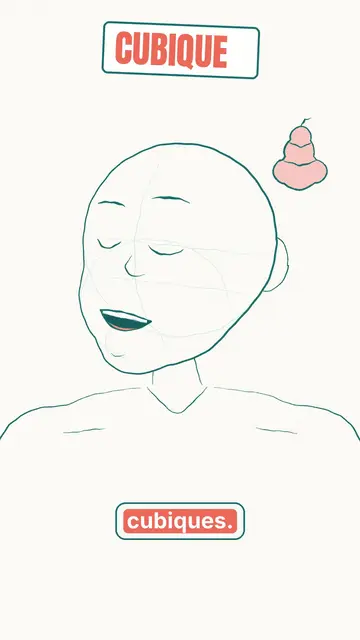
Animated cartoon character video
Drawn actor style · A pencil-drawn character performs your script like an actor, one expression at a time.
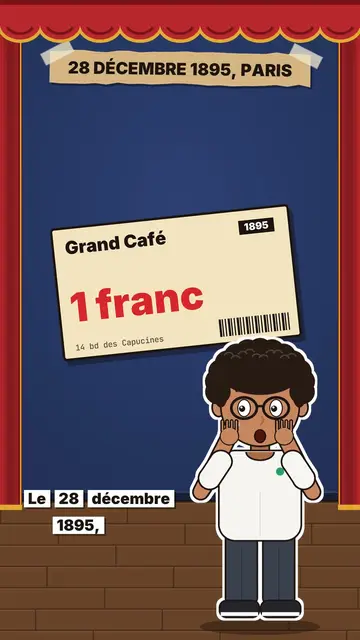
Review video on a stage
Little flat theatre style · A small flat-colour theatre stage: red curtain, changing wall, an avatar who acts and reacts.
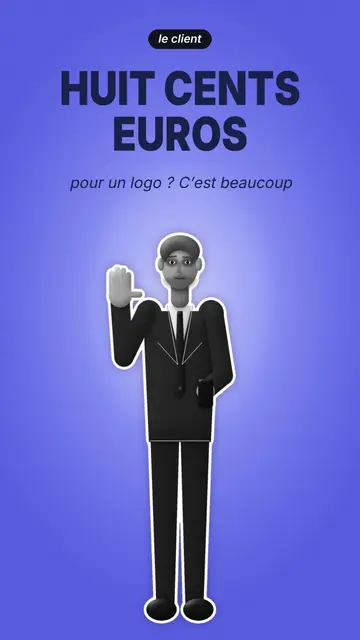
Cut-out photo dialogue video
Cut-out photo style · Black-and-white people cut out like stickers on a blue-violet gradient, a giant navy title.