속보 설명 영상 — Flash brief 스타일
1초도 지루하지 않은 속보 설명 영상: 강렬한 자막, 말한 단어를 박스로 표시, 위성 지도, 카운터와 효과음, 모두 1번 클릭으로.
Starter에 포함, 스타일 24개 전체와 직접 만든 스타일 포함 · 미리보기는 ClipOnIt 엔진으로 렌더링됨
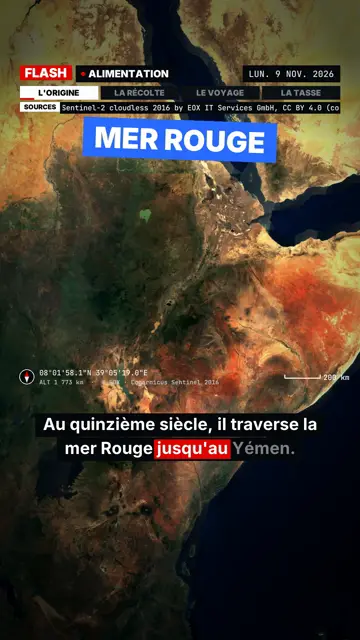
이 스타일의 모습
Flash brief borrows the format of news videos that never let you breathe: the voice keeps going, and each piece of information lands as a slammed caption. The captions come in four colours, each with a meaning: white for context, red for the hard fact, blue for the goal, yellow for the follow-up. In the subtitles, a red box tracks the spoken word.
The screen is split between a satellite map that places the story and a black panel where cards appear: quote, counters, crossed-out A/B options, gauge, calendar. Every event has its own sound (stamp, title tick, location ping, zoom whoosh), and in-house music shifts section with the story. Sharp zoom-punches, followed by a slow push, keep attention up.
잘 맞는 주제
Avoid: calm, moving or personal topics: the tight pace and sound effects crush them. The style does no 3D illustration or country outlines, and it does not zoom from a continent down to a street. For a slower story, pick Pixel News or Red documentary.
- Ongoing storiesThe pace and colour-coded captions sum up a complex story in a minute without losing the thread.
- The numbers behind a scandalRising counters and the gauge make an amount or a percentage concrete.
- A quote put back in contextThe quote card shows the exact words, then the captions explain who said them, where and when.
- A story that happens somewhereThe satellite map places the location in seconds, at the scale of a region or a site.
이 스타일의 영상 아이디어
- Why coffee prices are soaring
A map of the growing regions, a price counter climbing, a red caption on the main cause.
- A court ruling in one minute
A calendar of the case, a quote from the ruling, crossed-out A/B points for what was dismissed.
- What a new law changes
A blue caption on the goal, a gauge on the expected effect, a yellow caption on what is still unclear.
- A massive network outage
A map of the affected region, a counter of homes hit, a ping on each place named.
클릭 1번이면 완성
- 이 스타일 링크 열기
“이 스타일로 영상 만들기” 버튼을 누르면 이 스타일이 이미 선택된 편집기가 열립니다. 계정이 없어도 가입은 1분이면 되고 카드 등록은 필요 없어요.
- 주제를 한 문장으로 적어 주세요
아이디어 하나면 충분해요. 텍스트를 붙여넣거나, Starter에서 마이크에 대고 설명해도 돼요. 그러면 영상이 여러분의 목소리를 바탕으로 만들어져요.
- 검토 후 렌더링
AI가 장면을 쓰고, 스타일의 요소를 고르고, 말에 맞춰 타이밍을 맞춰요. 음성과 자막도 함께 들어가요. 어색한 부분만 고치면 세로형 MP4가 몇 분 안에 도착해요.
조정할 수 있는 항목
You can rewrite each caption and pick its meaning colour, change the map location, enter a counter's figures, a quote's wording or the A/B options to cross out. Scene length, narration and three variants per scene stay in your hands. The rest sets itself (slightly sped-up voice, closing caption, sounds timed to events); from Starter, you can record your own voice and make fixes by talking to the AI Director.
Frequently asked questions
무료 여부, 결과물, 용도: 간단한 답변.
How is it different from Satellite briefing?
Both use the same satellite imagery. Satellite briefing takes its time, with flyovers and an investigation frame; Flash brief chains captions, cards and sound effects for a breaking-news pace.
Are the sound effects and music included?
Yes. They are synthesised by the engine and timed to every event in the video, with no sound library to manage.
Can I use it for news that just broke?
Yes, if you provide the facts: AI works from what you write. Check the figures and cite your sources before posting.
이 스타일은 무료 요금제에 포함되나요?
아니요, Starter(월 $29)에 포함되어 있습니다. 월 15개의 워터마크 없는 영상, 24개 스타일 전체, 직접 만든 스타일을 쓸 수 있습니다. 무료 플랜은 월 3개의 영상을 워터마크와 함께 제공하며, 그 외 8개 스타일을 쓸 수 있습니다: Pixel News, Press paper, Comedy cartoon, Class sketch, Night tale, Social screen, Retro synthwave, Flat vector.
이 스타일이 마음에 든다면
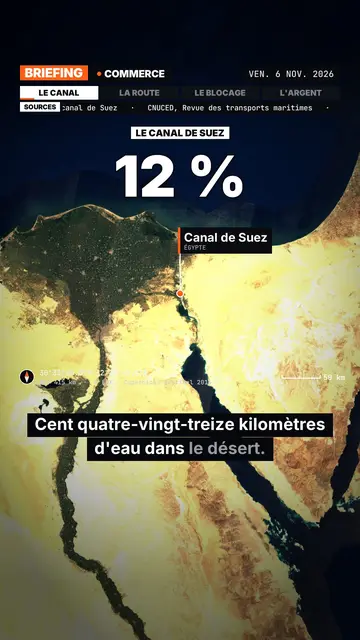
Satellite map explainer video
Satellite briefing style · Real satellite imagery, flyovers, pins and routes, sourced news bar.
- 무료
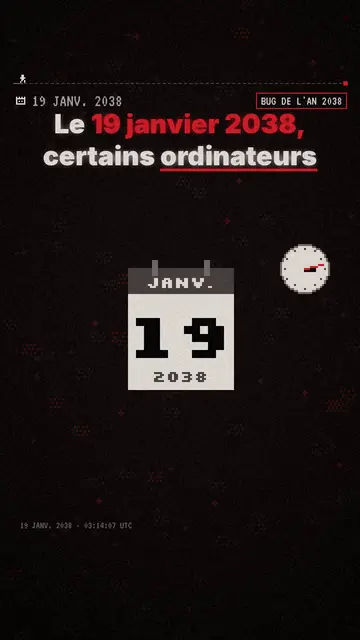
Pixel art explainer video maker
Pixel News style · Grey-and-red pixel art, dated HUD, word-by-word captions.
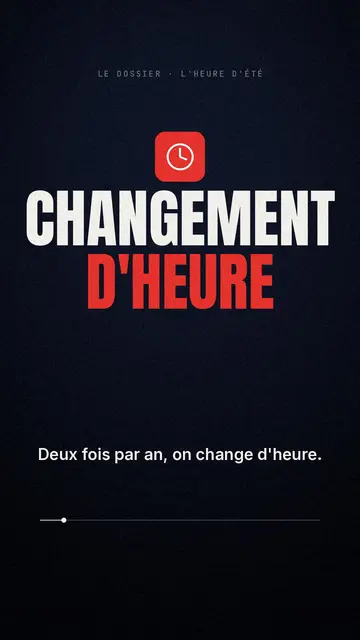
Documentary style explainer video
Red documentary style · Midnight blue, red pictogram, huge condensed headline.