Step-by-step method video — Pegboard workshop style
Make a step-by-step method video on a workbench: labels dropping off a pegboard, gauges draining, crossed-out lists and caution tape across the top.
Starter에 포함, 스타일 81개 전체와 직접 만든 스타일 포함 · 미리보기는 ClipOnIt 엔진으로 렌더링됨
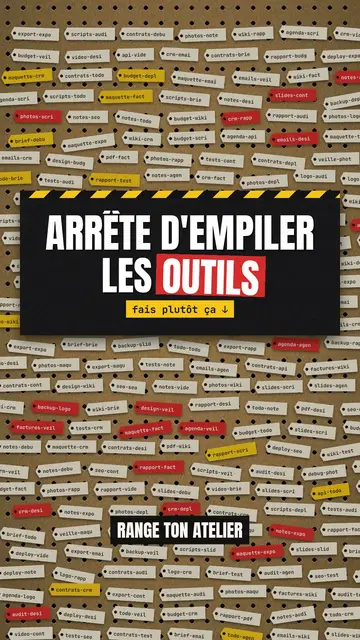
이 스타일의 모습
Pegboard workshop hangs everything on a brown cardboard board full of holes, like the wall of a tidy workshop. Ideas become red and yellow labels that come loose and fall when they are ruled out, clipboards with a list crossed out in red marker, test tubes that act as gauges and drain before your eyes. Yellow and black caution tape runs across the top when viewers need to be careful.
Titles are in condensed capitals, with the key word on a red or yellow band. Labels speak in mono, numbers are bold, and blue pill buttons or letter keys show the action to take. For a strong moment, the background switches to black or to full-screen yellow with tape. Each step has its red number and cream label at the top left: viewers follow the method like a workshop sheet.
잘 맞는 주제
Avoid: emotional stories or tales with characters: the board shows objects, steps and numbers. Also avoid topics without concrete action; every label should say something you can do or sort.
- Organisation methods5S, sorting, tidying: each step becomes a label you hang up or take down.
- Tool tutorialsLetter keys and blue buttons show the exact move, step by step.
- Mistakes to stop makingThe marker-crossed list and the “NO” stamp clearly say what to stop.
- Business processesA quality procedure or an onboarding reads like a sheet pinned up in the workshop.
이 스타일의 영상 아이디어
- The 5S method in 30 seconds
Five numbered steps, useless labels falling off and the “COMPLIANT” stamp at the end.
- Tidy your desk in 4 steps
The crossed-out clipboard, the clutter gauge draining and the blue “done” button.
- 3 shortcuts nobody uses
Letter keys pressing down, the “caution” tape and the number of minutes saved.
- Sort your email without losing the day
Labels to keep, labels that drop and the inbox gauge going down.
클릭 1번이면 완성
- 이 스타일 링크 열기
“이 스타일로 영상 만들기” 버튼을 누르면 이 스타일이 이미 선택된 편집기가 열립니다. 계정이 없어도 가입은 1분이면 되고 카드 등록은 필요 없어요.
- 주제를 한 문장으로 적어 주세요
아이디어 하나면 충분해요. 텍스트를 붙여넣거나, Starter에서 마이크에 대고 설명해도 돼요. 그러면 영상이 여러분의 목소리를 바탕으로 만들어져요.
- 검토 후 렌더링
AI가 장면을 쓰고, 스타일의 요소를 고르고, 말에 맞춰 타이밍을 맞춰요. 음성과 자막도 함께 들어가요. 어색한 부분만 고치면 세로형 MP4가 몇 분 안에 도착해요.
조정할 수 있는 항목
For each scene you pick the background (board, black or yellow with tape), the title and the colour of its band, a numbered section, a small tag under the title, a stamp, a source note, and one piece on the word: number, gauges, clipboard, labels, terminal, button, object or keys.
자주 묻는 질문
무료 여부, 결과물, 용도: 간단한 답변.
Does the style work for internal training?
Yes. Numbered steps, crossed-out lists and stamps suit procedures, safety rules and team methods well.
내 목소리를 쓸 수 있나요?
Yes. Record yourself or import your audio: each label drops and each gauge drains on your words.
How is it different from Terracotta studio?
Terracotta studio shows UI cards floating on cream. Pegboard workshop hangs physical cardboard objects: labels, gauges, clipboards, tape.
이 스타일은 무료 요금제에 포함되나요?
아니요, Starter(월 $29)에 포함되어 있습니다. 월 15개의 워터마크 없는 영상, 81개 스타일 전체, 직접 만든 스타일을 쓸 수 있습니다. 무료 플랜은 월 3개의 영상을 워터마크와 함께 제공하며, 그 외 8개 스타일을 쓸 수 있습니다: Pixel News, Press paper, Comedy cartoon, Class sketch, Night tale, Social screen, Retro synthwave, Flat vector.
이 스타일이 마음에 든다면
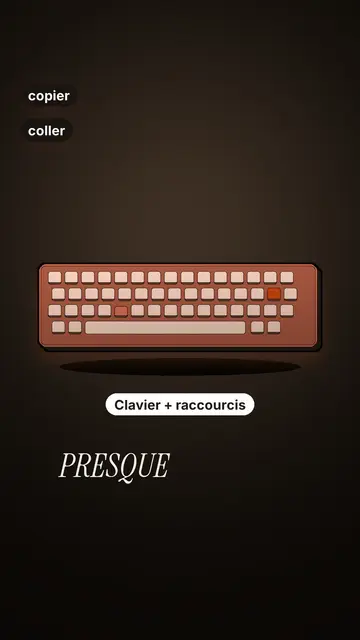
Tech tutorial video maker
Terracotta studio style · Tutorials told with UI cards floating in light 3D on cream: numbered labels, rolling counters, terracotta title plates.
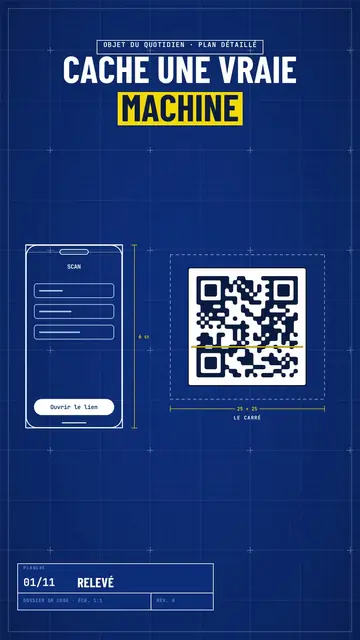
Blueprint diagram video
Blue blueprint style · A gridded blue blueprint sheet: line-drawn wireframes, dimensions, a title block and a yellow note.
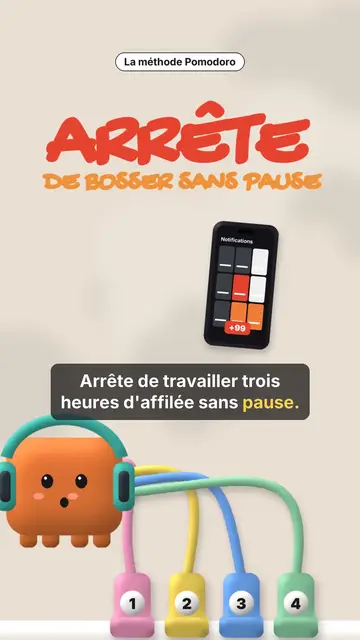
Clay 3D step-by-step video
Clay mascot style · A clay cube mascot plugged by cables into numbered sockets, one per step.