테크 톱 리스트 영상 메이커 — 테크 리스트 스타일
테크 톱 리스트 영상을 만들어 보세요. 검은 배경 위 카드, 큰 주황색 헤드라인, 음성에 맞춰 나타나는 번호 목록. 도구, 팁, 빠른 비교에 좋아요.
Starter에 포함, 스타일 24개 전체와 직접 만든 스타일 포함 · 미리보기는 ClipOnIt 엔진으로 렌더링됨
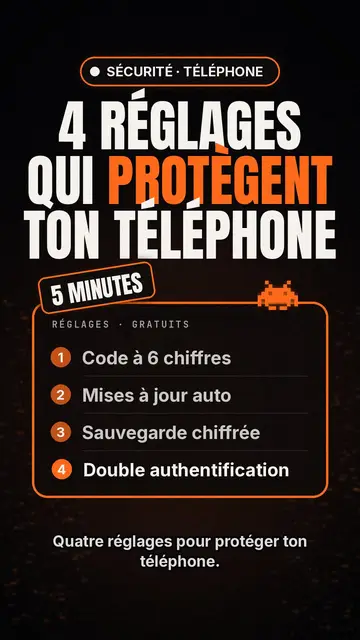
이 스타일의 모습
Tech list presents each scene as a card on a black background. At the top, a glowing pill-shaped badge names the category, then a huge condensed headline in white and orange fills the width. A slanted patch sits on the card, like a “NEW” or “FREE” sticker, and a small pixel art pictogram recalls the topic.
The heart of the style is the numbered list, inside a glowing orange-edged frame: each line appears the moment the voice says it, which keeps attention to the last item. A monospace header caps the card, and captions stay discreet at the bottom so the list can breathe. Instead of the pictogram, you can show a screenshot or an imported image.
잘 맞는 주제
Avoid: stories and emotional topics: a story does not split into numbered points. The style also shows few images, so a very visual topic (travel, nature, food) loses out. Past six items per card the list becomes hard to read: split it across several scenes.
- Top lists and tool picksThe list format is made for “5 apps worth knowing”: each tool gets its line, its number and its moment.
- Tips and settingsSteps show up one by one, readable enough to follow with your phone in hand.
- Quick comparisonsThree offers, three lines, and the slanted patch to point at the winner.
- Product updatesThe badge and orange headline feel like an announcement, handy to present the features of an update.
이 스타일의 영상 아이디어
- 4 settings to protect your phone
A “SECURITY” badge, an orange headline, then the four settings appearing as the voice goes.
- 5 free tools to edit your videos
One line per tool, a “FREE” patch on the card, and a screenshot for the favourite.
- Keyboard shortcuts that save you an hour
Each shortcut as a numbered line, with the monospace header styled like a terminal.
- Three subscriptions compared
Price, limit and strength in three lines per card, then a final card that settles it.
클릭 1번이면 완성
- 이 스타일 링크 열기
“이 스타일로 영상 만들기” 버튼을 누르면 이 스타일이 이미 선택된 편집기가 열립니다. 계정이 없어도 가입은 1분이면 되고 카드 등록은 필요 없어요.
- 주제를 한 문장으로 적어 주세요
아이디어 하나면 충분해요. 텍스트를 붙여넣거나, Starter에서 마이크에 대고 설명해도 돼요. 그러면 영상이 여러분의 목소리를 바탕으로 만들어져요.
- 검토 후 렌더링
AI가 장면을 쓰고, 스타일의 요소를 고르고, 말에 맞춰 타이밍을 맞춰요. 음성과 자막도 함께 들어가요. 어색한 부분만 고치면 세로형 MP4가 몇 분 안에 도착해요.
조정할 수 있는 항목
On each card you write the badge, the headline and its orange word, the slanted patch, the monospace header and up to six list lines. Swap the pictogram for an image of yours, or for other library elements placed wherever you like. The accent colour, orange by default, can be changed for your brand, and each scene keeps an editable length and narration, with three variants on request. From Starter, record your own voice and make fixes by talking to the AI Director.
Frequently asked questions
무료 여부, 결과물, 용도: 간단한 답변.
What is a top list video?
A short video presenting a numbered selection, “the 5 best…” or “4 tips to…”, one point at a time. Here, AI writes the list, splits it into cards and makes each line appear with the voice.
Can I show app screenshots?
Yes, an imported image takes the pictogram's place on the card. Use your own screenshots, and check that you may show any logos they contain.
How many items per list?
Six at most per card. For a top 10, AI spreads the list over several scenes, which keeps the pace brisk.
이 스타일은 무료 요금제에 포함되나요?
아니요, Starter(월 $29)에 포함되어 있습니다. 월 15개의 워터마크 없는 영상, 24개 스타일 전체, 직접 만든 스타일을 쓸 수 있습니다. 무료 플랜은 월 3개의 영상을 워터마크와 함께 제공하며, 그 외 8개 스타일을 쓸 수 있습니다: Pixel News, Press paper, Comedy cartoon, Class sketch, Night tale, Social screen, Retro synthwave, Flat vector.
이 스타일이 마음에 든다면
- 무료
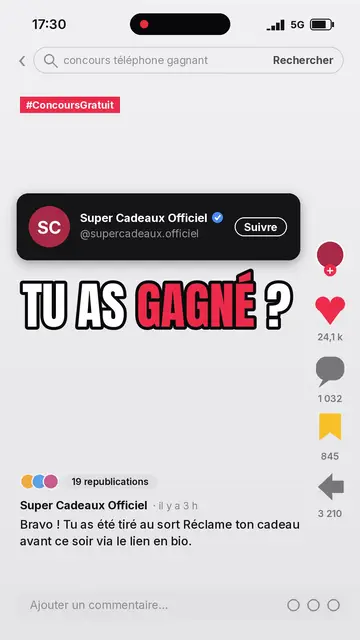
Social media explainer video
Social screen style · A recreated social feed: profile, counters, comments.
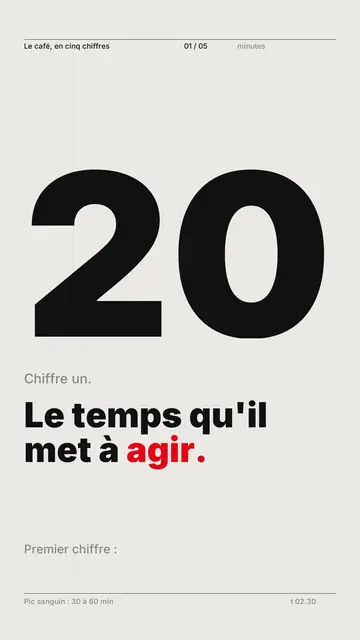
Kinetic typography video maker
Swiss grid style · Swiss typography: light paper, strict grid, giant figure, one signal colour.
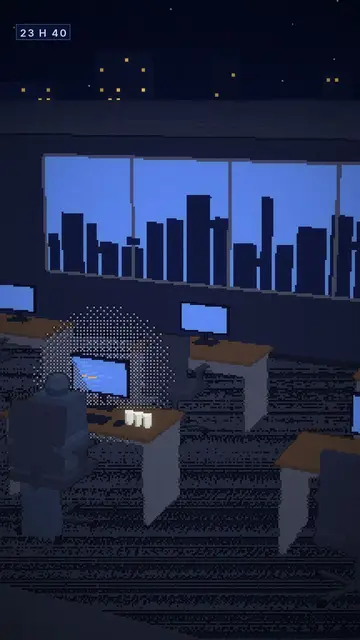
Voxel animation video
Voxel night style · Chunky-pixel 3D nights, glowing city and screens.