Synthwave 영상 제작기 — Retro synthwave 스타일
레트로 신스웨이브 영상 만들기: 줄무늬 노을, 흐르는 네온 격자, 보라와 마젠타 픽셀 아트, 음성과 자막 포함. 무료 스타일, 1번 클릭이면 완성.
무료 플랜: 월 3개 영상을 워터마크와 함께 · ClipOnIt 엔진으로 렌더링한 미리보기
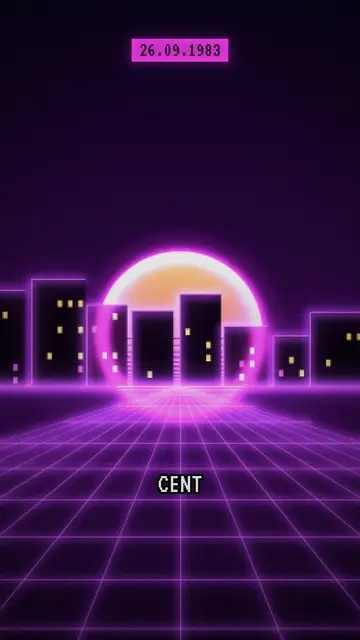
이 스타일의 모습
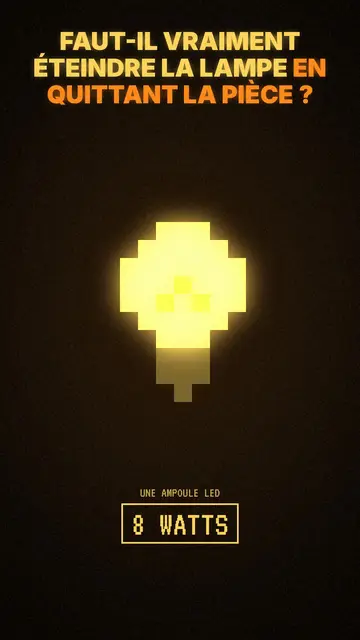
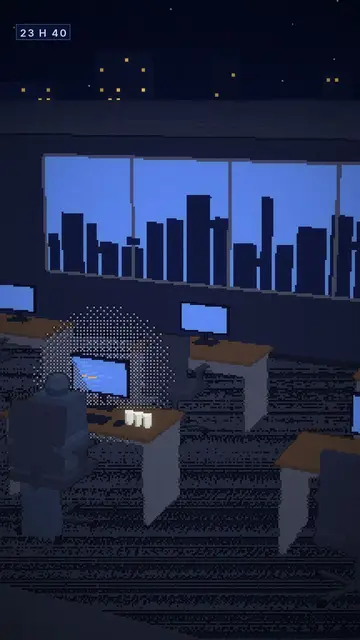
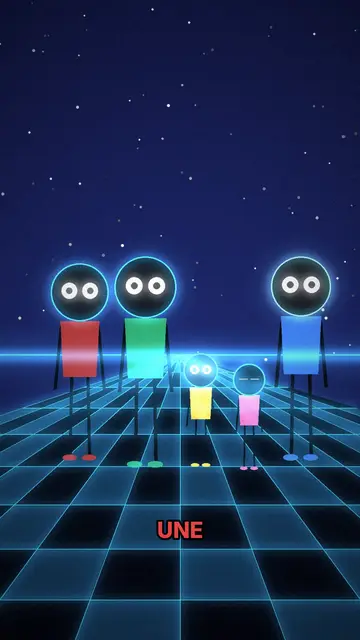
Retro synthwave sets every scene in an 80s cassette-cover backdrop: a striped sunset on the horizon, a neon grid in perspective scrolling towards you, a city outlined in light. Everything is purple and magenta, rendered in chunky pixels with scanlines, like an old monitor. Neon lines draw themselves live while the voice speaks, to link two ideas or underline an object.
On top of that pixelated backdrop, the text stays sharp: the date sits in a magenta pill, labels are set in white monospace inside a frame, and the title uses a pixel font. The contrast between the vibrating background and the clean text keeps it easy to read, even on a small screen. The whole thing calls up electronic music, arcades and computers from before the internet.
잘 맞는 주제
Avoid: serious or personal topics (health, grief, crime): neon and nostalgia make them feel light against their will. Also skip very current topics with nothing retro about them, and tutorials that need to show a specific screen.
- 80s pop cultureFilms, hits, fashions: the backdrop sets the era before the first sentence lands.
- The history of consoles and computersPixels and the neon grid speak straight away to anyone who grew up with early games.
- Electronic musicA genre, a synth or an album tells well in the backdrop that looks like it.
- Stories from yesterday's techA famous outage or a Cold War false alarm takes on a period-story tone, dated by the pill.
이 스타일의 영상 아이디어
- The 1983 nuclear false alarm
A radar screen, missiles that are not there, an officer who decides to do nothing: the date in the pill at each step.
- How the home console was born
From the arcade cabinet to the living-room TV, each scene adds a machine to the neon grid.
- Why the 80s keep coming back
Music, shows, clothes: three scenes explain nostalgia for an era many never lived through.
- Life before the internet
Phone book, phone booth, cassette: a list of vanished objects, each labelled in monospace.
클릭 1번이면 완성
- 이 스타일 링크 열기
“이 스타일로 영상 만들기” 버튼을 누르면 이 스타일이 이미 선택된 편집기가 열립니다. 계정이 없어도 가입은 1분이면 되고 카드 등록은 필요 없어요.
- 주제를 한 문장으로 적어 주세요
아이디어 하나면 충분해요. 텍스트를 붙여넣거나, Starter에서 마이크에 대고 설명해도 돼요. 그러면 영상이 여러분의 목소리를 바탕으로 만들어져요.
- 검토 후 렌더링
AI가 장면을 쓰고, 스타일의 요소를 고르고, 말에 맞춰 타이밍을 맞춰요. 음성과 자막도 함께 들어가요. 어색한 부분만 고치면 세로형 MP4가 몇 분 안에 도착해요.
조정할 수 있는 항목
You change the date in the pill, the label text and each scene's title, along with the narration line and its length. You can move an element, swap it, or ask for three variants of a scene to compare layouts. Neon lines follow what the voice says; from Starter, you can use your own voice and ask the AI Director for tweaks by talking to it.
Frequently asked questions
무료 여부, 결과물, 용도: 간단한 답변.
What is a synthwave video?
A video with the look of an imagined 80s: striped sunset, neon grid, purple and magenta. Here that backdrop carries an explanation, with voice-over and captions, instead of being a mere mood loop.
Can I use it for a music video?
The style is built to tell something: a voice explains, the scenes illustrate. For talking about an artist, an album or a genre, it fits well; for a wordless clip cut to a track, it is not designed for that.
Does text stay readable over the pixels?
Yes. Only the backdrop is pixelated; titles, dates and labels are laid sharp on top, in white or magenta, and captions follow the voice.
이 스타일은 무료 요금제에 포함되나요?
네, 무료 플랜에서 쓸 수 있는 8가지 스타일 중 하나예요: 월 3개 영상을 ClipOnIt 워터마크와 함께 만들 수 있고, 신용카드도 필요 없어요. Starter($29/월)는 워터마크를 없애고, 월 15개 영상을 만들 수 있게 해 주며, 24가지 스타일 전부와 직접 만든 스타일까지 열어 줘요.