Film strip timeline video — Amber film strip style
Make a timeline video on an amber film strip that rolls by: each step in its own frame, glowing burnt holes between scenes and a rolling counter.
Starter에 포함, 스타일 81개 전체와 직접 만든 스타일 포함 · 미리보기는 ClipOnIt 엔진으로 렌더링됨
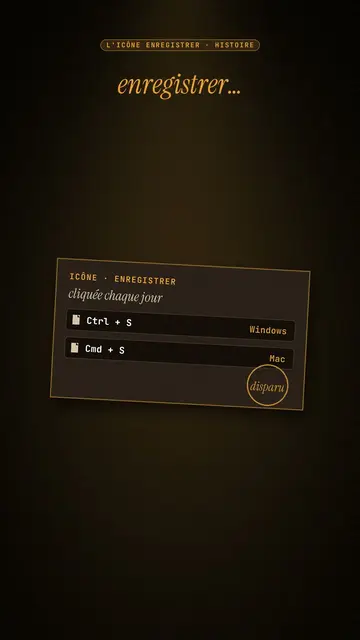
이 스타일의 모습
Amber film strip plunges your video into a warm black background, lit by an amber beam like in a projection room. A perforated film strip rolls by and carries the steps of the story in its frames: dates, versions, codes, a commit history. To move on, a glowing burnt hole pierces the image, grows and reveals the next scene, like film heating up in the projector.
At the top, a single word at a time shows along with the voice, in white sans-serif or in amber italic serif for the strong word. A small amber mono label at the very top gives the subject. In the centre, other blocks can take the strip's place: a rolling counter, brown cartridges with their lines, reels, a label, a memory card. A mono terminal can type its lines at the bottom, and the end shows “Comment”.
잘 맞는 주제
Avoid: topics with no sense of time or steps: the strip needs a sequence to roll through. Also avoid very colourful or cheerful topics; the style stays dark, warm and slightly nostalgic.
- Timelines of objects and inventionsEach film frame is a date: viewers see the object change from era to era.
- Version and code historyThe commit history in the strip and the terminal at the bottom speak to developers.
- Film and retro cultureThe projection room and the reels set a mood straight away.
- The “before / after” of a technologyThe burnt hole revealing the next scene marks the move from one era to the next.
이 스타일의 영상 아이디어
- The Save icon is a vanished floppy disk
The “Ctrl + S” cartridge, the strip with 1971, 1976, 1981, the counter up to 1.44 MB and the end of production in 2011.
- Git explained in 30 seconds
The commit history in the strip, the typing terminal and a burnt hole at each branch.
- The story of the first colour film
The reels, the dates in frames and the word “colour” in amber serif.
- How your phone replaced ten objects
The strip of objects, the rolling counter and the memory card at the end.
클릭 1번이면 완성
- 이 스타일 링크 열기
“이 스타일로 영상 만들기” 버튼을 누르면 이 스타일이 이미 선택된 편집기가 열립니다. 계정이 없어도 가입은 1분이면 되고 카드 등록은 필요 없어요.
- 주제를 한 문장으로 적어 주세요
아이디어 하나면 충분해요. 텍스트를 붙여넣거나, Starter에서 마이크에 대고 설명해도 돼요. 그러면 영상이 여러분의 목소리를 바탕으로 만들어져요.
- 검토 후 렌더링
AI가 장면을 쓰고, 스타일의 요소를 고르고, 말에 맞춰 타이밍을 맞춰요. 음성과 자막도 함께 들어가요. 어색한 부분만 고치면 세로형 MP4가 몇 분 안에 도착해요.
조정할 수 있는 항목
For each scene you pick the top label, the central block that appears on the word (film strip, counter, cartridge, reels, label or comment card), a terminal at the bottom with its lines, an italic serif line under the block, and an opening through a burnt hole.
자주 묻는 질문
무료 여부, 결과물, 용도: 간단한 답변.
How many steps fit on the strip?
Each frame carries a short step: a date, a version, a name. Three to six frames per scene stay readable on a phone.
내 목소리를 쓸 수 있나요?
Yes. Record yourself or import your audio: the top word, the strip and the burns follow what you say.
How is it different from Dark archive collage?
Dark archive collage layers front pages and archive photos. Amber film strip rolls a film band carrying the steps, with a single word on screen.
이 스타일은 무료 요금제에 포함되나요?
아니요, Starter(월 $29)에 포함되어 있습니다. 월 15개의 워터마크 없는 영상, 81개 스타일 전체, 직접 만든 스타일을 쓸 수 있습니다. 무료 플랜은 월 3개의 영상을 워터마크와 함께 제공하며, 그 외 8개 스타일을 쓸 수 있습니다: Pixel News, Press paper, Comedy cartoon, Class sketch, Night tale, Social screen, Retro synthwave, Flat vector.
이 스타일이 마음에 든다면
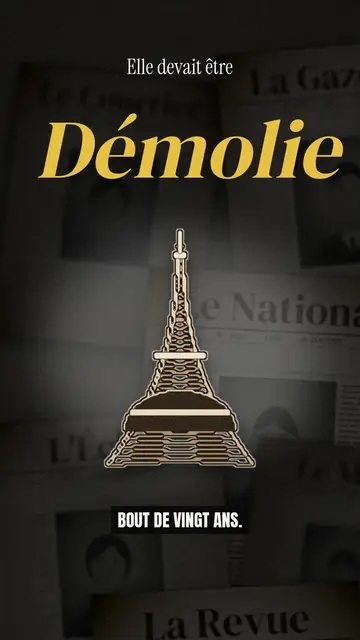
Archive documentary video
Dark archive collage style · Old sepia front pages, cut-out photos and postcards sliding in layers on a dark backdrop.
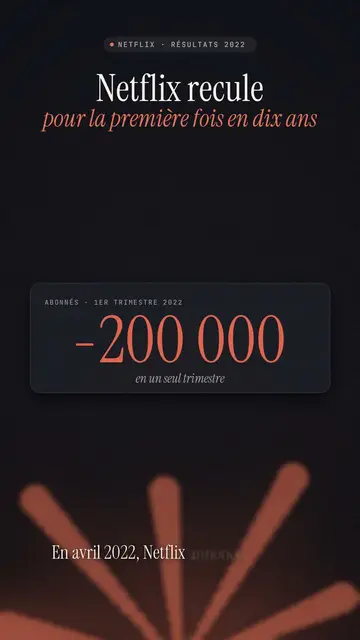
Finance explainer video
Night report style · A financial investigation on a warm dark background, amber glow or coral asterisk, white serif title.
무드 있는 픽셀 아트 스토리 영상
무드 픽셀 스타일 · 빛나는 노란 조명이 깃든 따뜻하고 어두운 픽셀 아트.