Retro 1960s space video — Capsule cockpit style
Make a video inside a 1960s space capsule: a panel of dials and lights, a porthole on the Earth or the Moon, and a green 7-segment counter display.
Starter에 포함, 스타일 81개 전체와 직접 만든 스타일 포함 · 미리보기는 ClipOnIt 엔진으로 렌더링됨
이 스타일의 모습
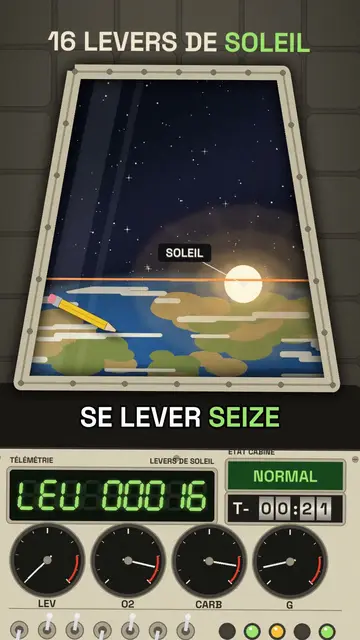
Capsule cockpit puts the camera inside a retro 1960s space capsule. In front of you, a cream panel covered with switches, lights and needle dials; in the centre, a large trapezoid porthole showing whatever the voice describes: the Earth, the Moon, a sunrise, a multi-stage rocket separating or parachutes opening.
The counter shows on a green 7-segment display with its code (“ALT 00408”), and a countdown can spin on mechanical rollers. Objects float weightless in the cabin, a warning light turns red when something is wrong, and a ray of sunlight sweeps across the panel as the capsule turns. The ending can pull back to show the capsule in orbit.
잘 맞는 주제
Avoid: topics unrelated to space, flight or engineering: the cockpit needs something to see through the porthole. Also avoid stories with several characters; you stay alone on board, facing the panel.
- Space and astronautsThe porthole shows the Earth and the Moon as if you were on board.
- Records and crazy numbersThe 7-segment display rolls big numbers with suspense.
- Physics made simpleWeightlessness and floating objects make the laws of motion visible.
- The history of the space raceThe 1960s look fits the missions that defined the era.
이 스타일의 영상 아이디어
- Your sunrises in orbit
Sixteen sunrises a day, the LEV display climbing to nearly 7,000 and the final wide shot.
- How long it takes to get to Mars
The porthole on a shrinking Earth and the countdown on rollers.
- Why you float on the ISS
Objects floating in the cabin and the orbital speed dial.
- Coming back to Earth in 10 minutes
The red light, the heat at the porthole, then the parachutes opening.
클릭 1번이면 완성
- 이 스타일 링크 열기
“이 스타일로 영상 만들기” 버튼을 누르면 이 스타일이 이미 선택된 편집기가 열립니다. 계정이 없어도 가입은 1분이면 되고 카드 등록은 필요 없어요.
- 주제를 한 문장으로 적어 주세요
아이디어 하나면 충분해요. 텍스트를 붙여넣거나, Starter에서 마이크에 대고 설명해도 돼요. 그러면 영상이 여러분의 목소리를 바탕으로 만들어져요.
- 검토 후 렌더링
AI가 장면을 쓰고, 스타일의 요소를 고르고, 말에 맞춰 타이밍을 맞춰요. 음성과 자막도 함께 들어가요. 어색한 부분만 고치면 세로형 MP4가 몇 분 안에 도착해요.
조정할 수 있는 항목
For each scene you pick the porthole view (Earth, Moon, sun, rocket, parachutes…) and its target, the title, the display value with its code and label, the floating objects, the labels, the status light and the moment the chapter changes.
이 스타일로 그린 장면
라이브러리에 2 299개의 요소가 있으며 의미로 검색할 수 있어요. 그중 몇 가지:
 캐릭터
 기기
 문서 & 장소
 데이터
 배경
 과학
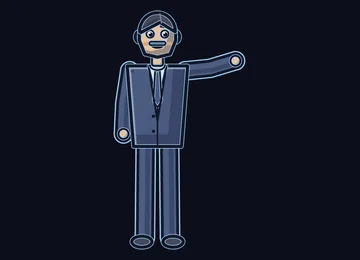 작업
 오브젝트
자주 묻는 질문
무료 여부, 결과물, 용도: 간단한 답변.
Does the capsule copy a real mission?
No. The cockpit is drawn by the engine in the spirit of 1960s capsules, with no space agency logo or brand. You can tell a real mission or an imaginary scenario.
내 목소리를 쓸 수 있나요?
Yes. Record yourself or import your audio: the display rolls and the porthole changes on your words, like an onboard radio message.
How is it different from Deep-sea sonar?
Deep-sea sonar goes down under the sea, on an amber screen revealing echoes. Capsule cockpit goes up into orbit, behind a cream dial panel, with a porthole on the Earth.
이 스타일은 무료 요금제에 포함되나요?
아니요, Starter(월 $29)에 포함되어 있습니다. 월 15개의 워터마크 없는 영상, 81개 스타일 전체, 직접 만든 스타일을 쓸 수 있습니다. 무료 플랜은 월 3개의 영상을 워터마크와 함께 제공하며, 그 외 8개 스타일을 쓸 수 있습니다: Pixel News, Press paper, Comedy cartoon, Class sketch, Night tale, Social screen, Retro synthwave, Flat vector.
이 스타일이 마음에 든다면
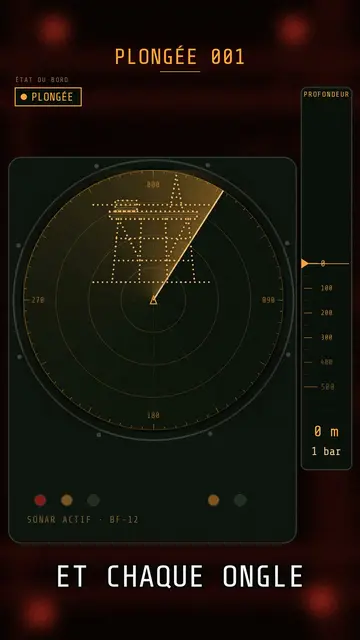
Submarine sonar video
Deep-sea sonar style · A submarine's sonar station: amber screen, dotted echoes, ring pings, a depth gauge going down.
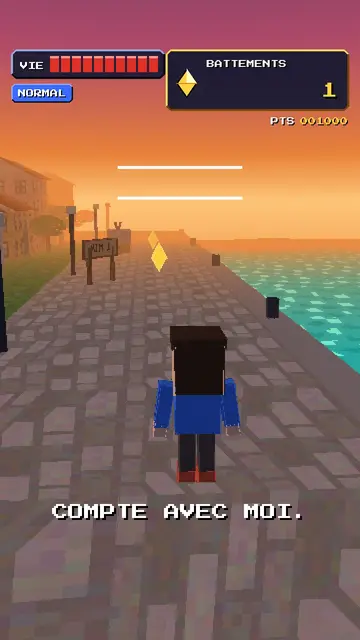
Retro PS1 game style video
32-bit polygons style · Your topic as a 32-bit console 3D game: a square-headed hero, wobbling textures, a rolling score.
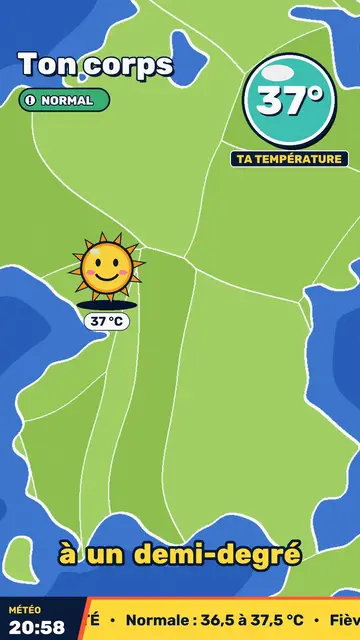
Retro TV weather video
Retro weather report style · Your topic presented like a 90s TV weather report: flat-colour map, hijacked icons, a temperature badge.